Document Center
One source of truth for deal documents — store by property, organize by type, and share securely with a link.
Document Center keeps every deal file in one place, tied to the right listing. Upload rent rolls, financials, floor plans, and more; tag them by type and visibility; and share single documents or full listing packages with clients and partners via email—no login required for recipients. The same documents feed the AI for listing creation and context, so your data stays consistent across Antela.
How it works
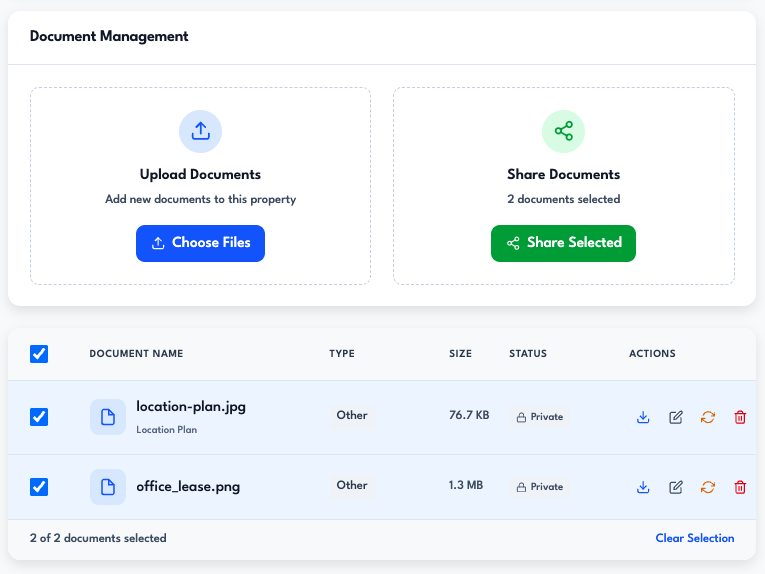
- Organize by property — Open the Document Center and select a listing (or use partner docs for non-property files). All documents for that property live in one view so you can see what you have at a glance.
- Upload and categorize — Upload PDFs, spreadsheets, images, and more (up to 5 files at once, 25MB each). Assign a document type—rent roll, financials, floor plans, disclosures, lease agreements, tax documents, and others—and add notes or tags. Set visibility to agent-only or shared depending on who should see it.
- Share with a link — Share a single document or select multiple and share as a "listing package" with one or more recipients. Each recipient gets an email with a unique link; links can expire after a set number of days. Recipients open the link to view or download—no account needed.
Document types
Property documents can be tagged as:
- Rent roll, financials, disclosures, inspection reports
- Title, photos, floor plans, environmental and zoning documents
- Lease agreements, tax documents, insurance, and more
Partner documents support types like rate sheets, insurance info, license certificates, business registration, service agreements, and portfolio samples. Everything is searchable and tied to the right listing or partner profile.
Secure sharing
Sharing is email-based: you enter recipient email (and optional name/role), set an expiration (e.g. 7 days), and send. Recipients get a secure link to view or download. You can revoke shares anytime and track access. Optional password protection is available for sensitive documents.
Where to use it
Use the Document Center app to manage documents by listing, upload new files, and share single docs or listing packages. When you create a listing with AI, the documents you upload there (or in the Create Listing flow) are the same source the AI reads to extract property details—so Document Center is the single place your deal files live and stay in sync.
Document Center is part of Antela's workflow coverage across the deal lifecycle—from listings and documents to sharing with clients and closing deals.
Ready to get started? Explore plans or talk to our team.